

100% Secure Payment

Free Worldwide Shipping

Worldwide After-Sales Service
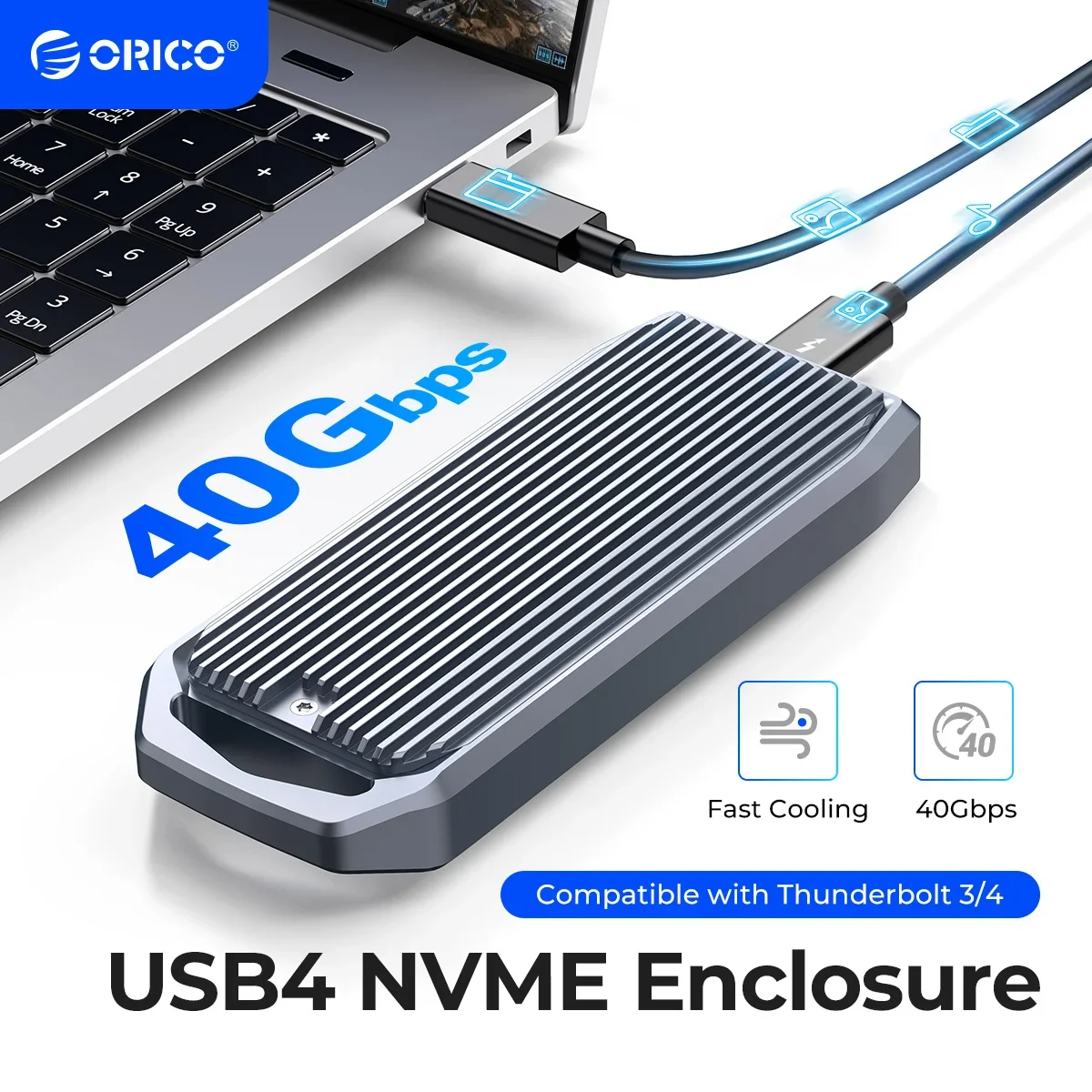
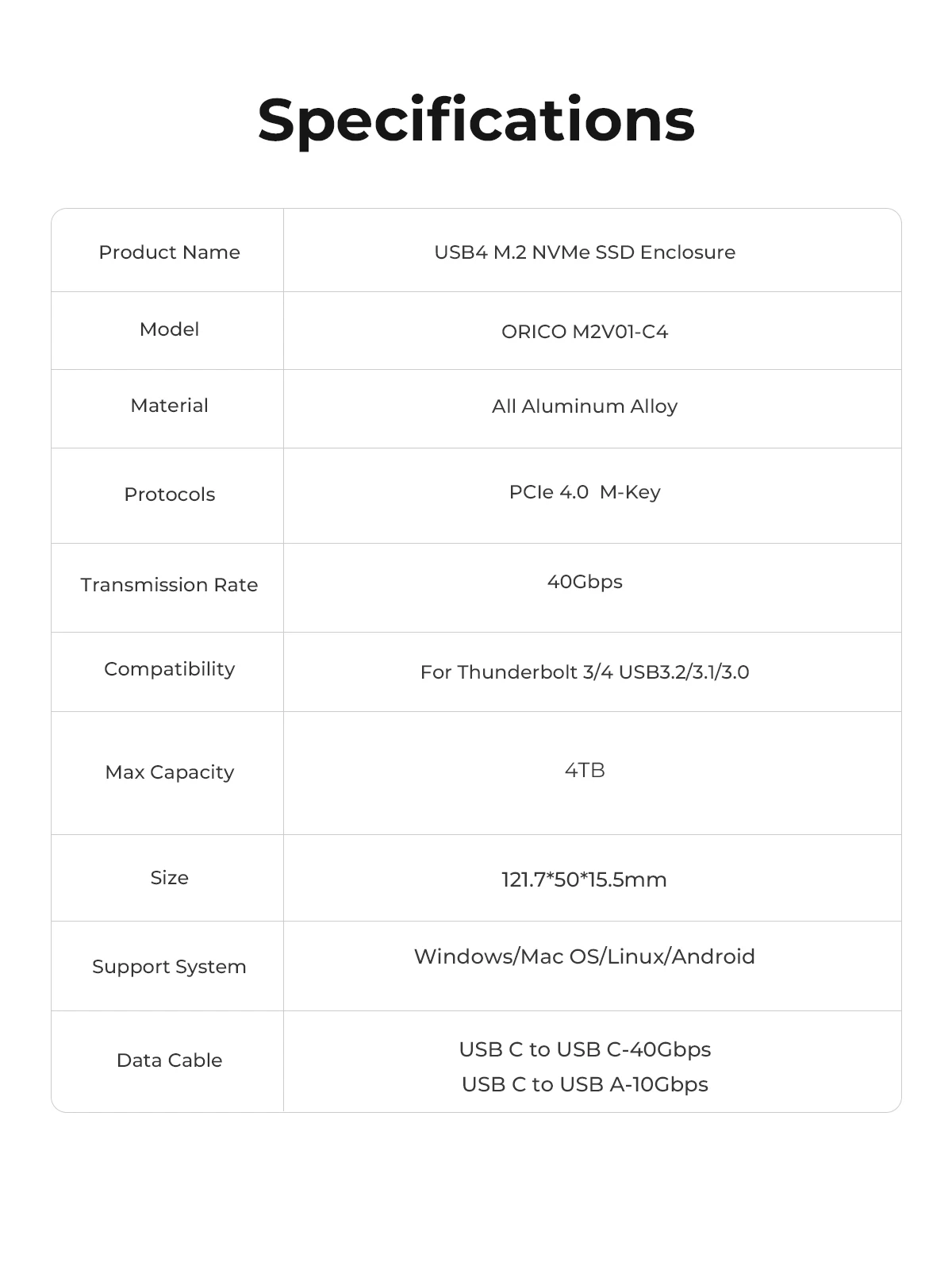
True USB4 SSD Enclosure Compatible with Thunderbolt 3 4
Whether you are a designer, business traveler, photographer, videographer, or content creator, ORICO USB4 Enclosures allows you to confidently deal with large amounts of video, images, files, and digital data quickly and with ease. Expand your digital storage, making your work and life easier and more efficient.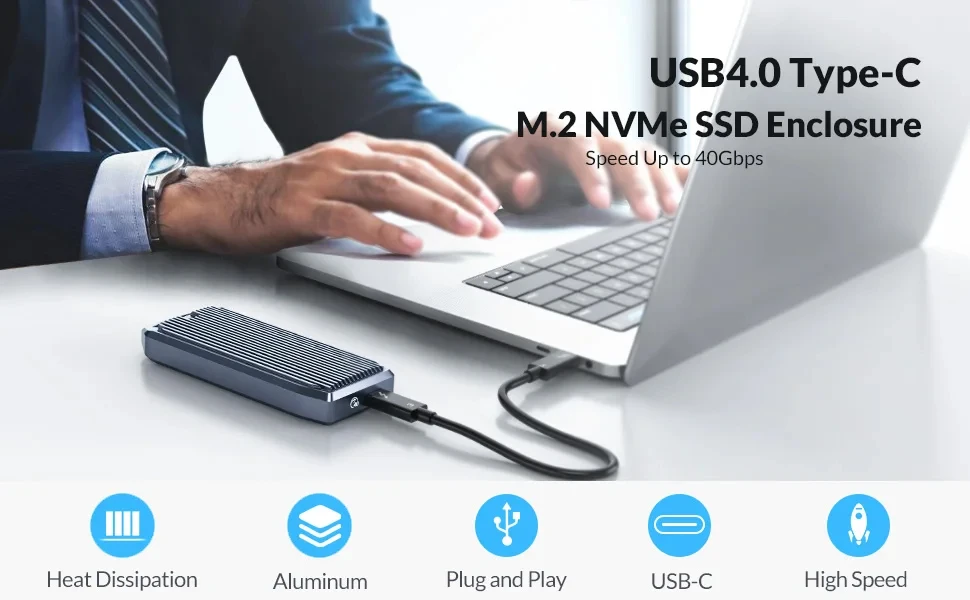

USB4 PCIe3.0x4 USB C,Compatible Thunderbolt 3/4 USB3.2/3.1/3.0.
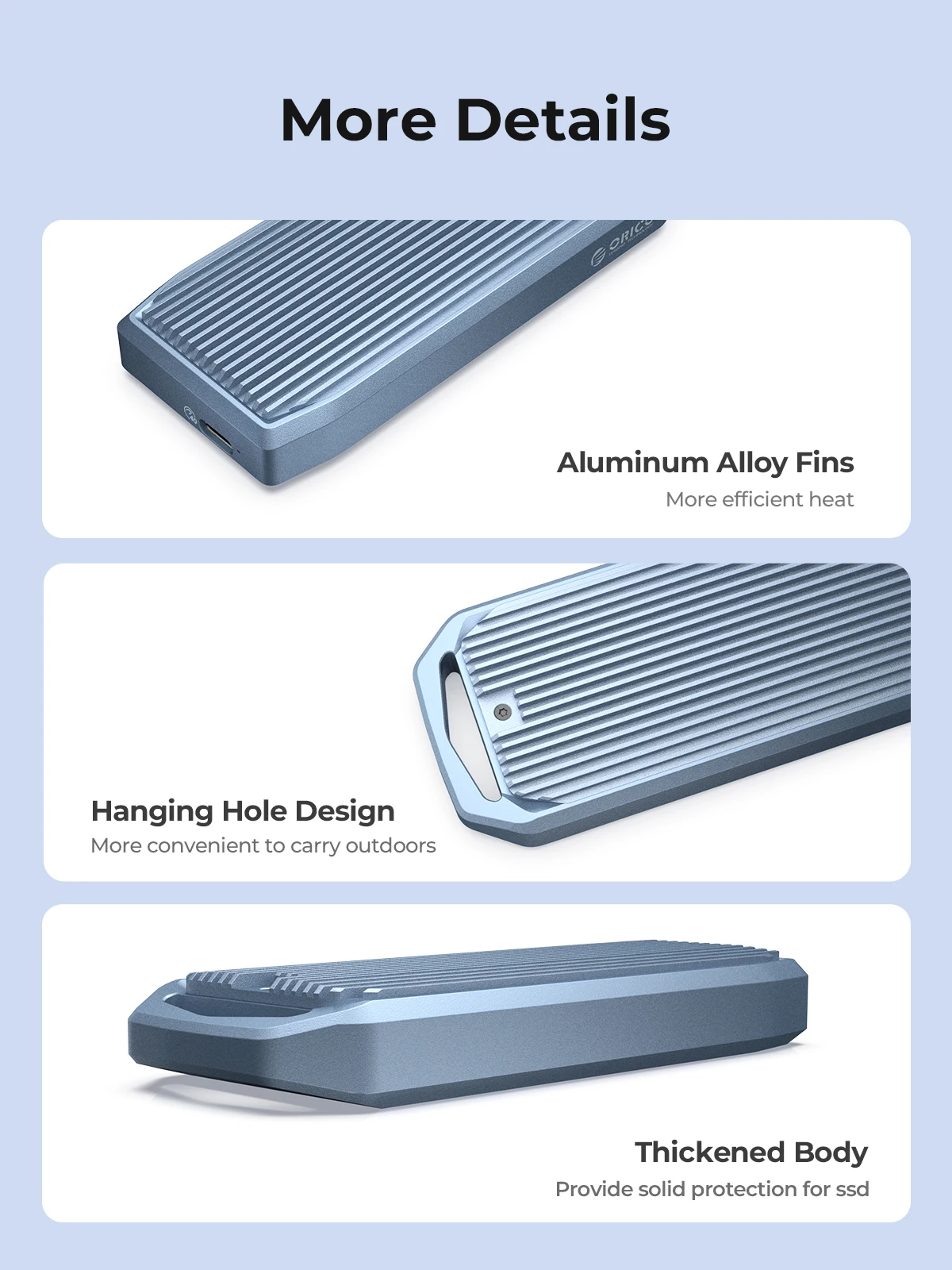
Design of full aluminum alloy CNC material, sturdy and durable.
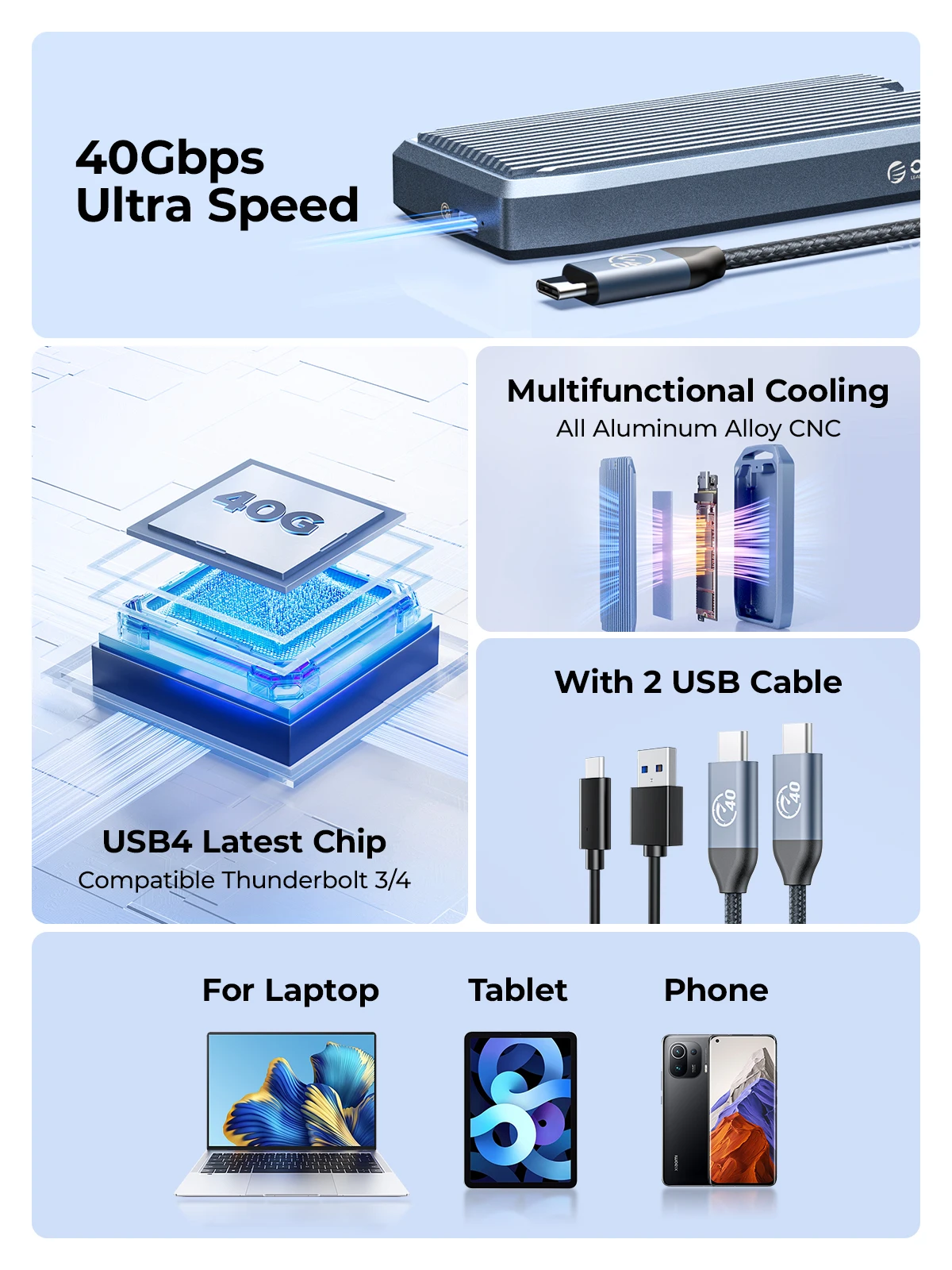
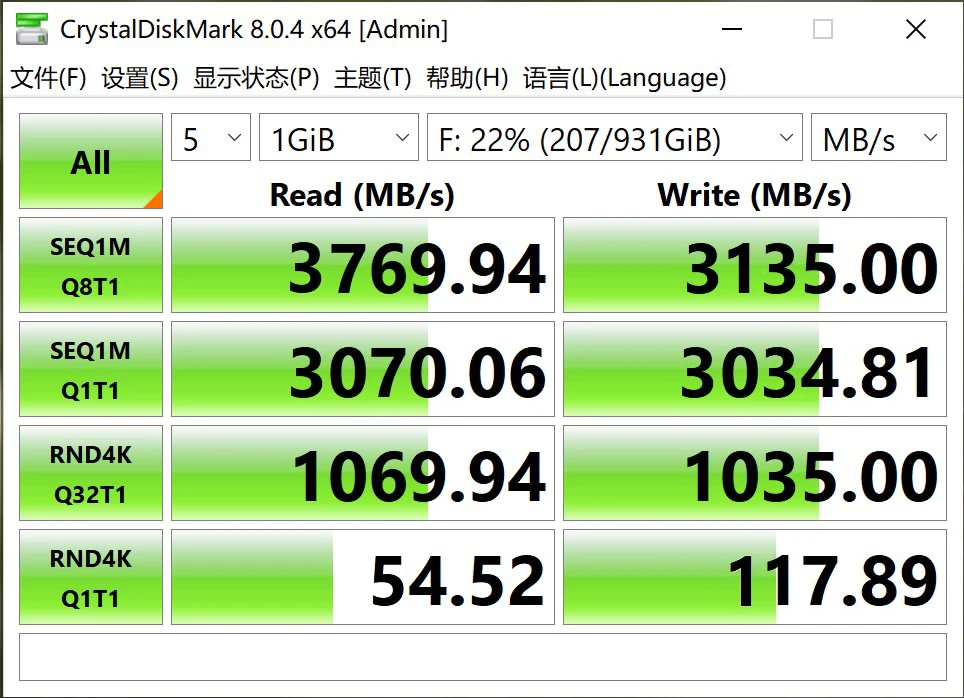
Support up to 40Gbps transmission rate.The measured maximum continuous read speed can reach 3700MB/s, and the continuous write can reach 3100MB/s.
Plug and play, no driver and external power required for Windows/Mac OS/Linux systems.
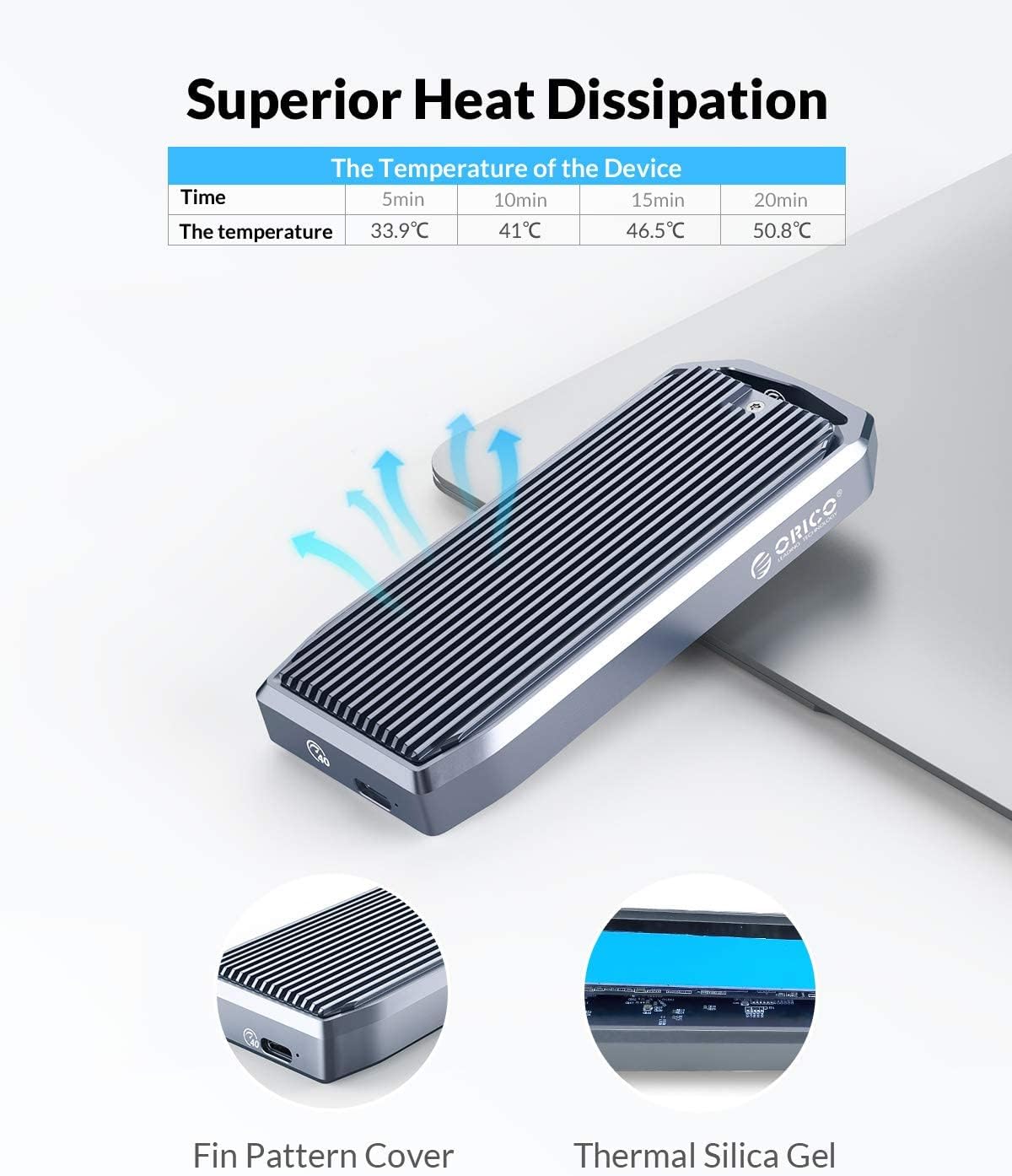
The copper bars with holes on the PCBA board and the thermal pad attached to the m.2 external enclosure, with the aluminum alloy case can ensure a perfect cooling performance for the solid-state Drive.
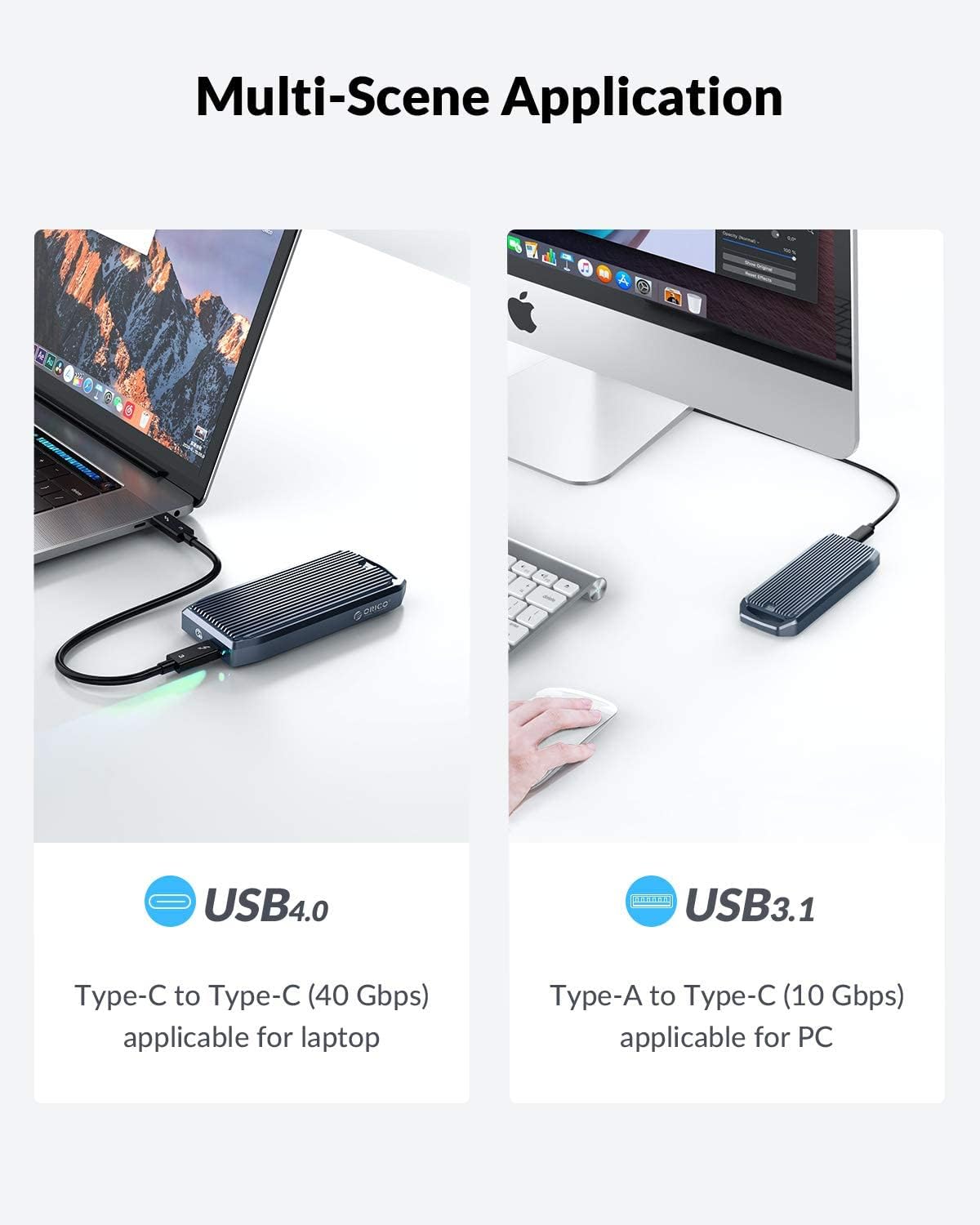
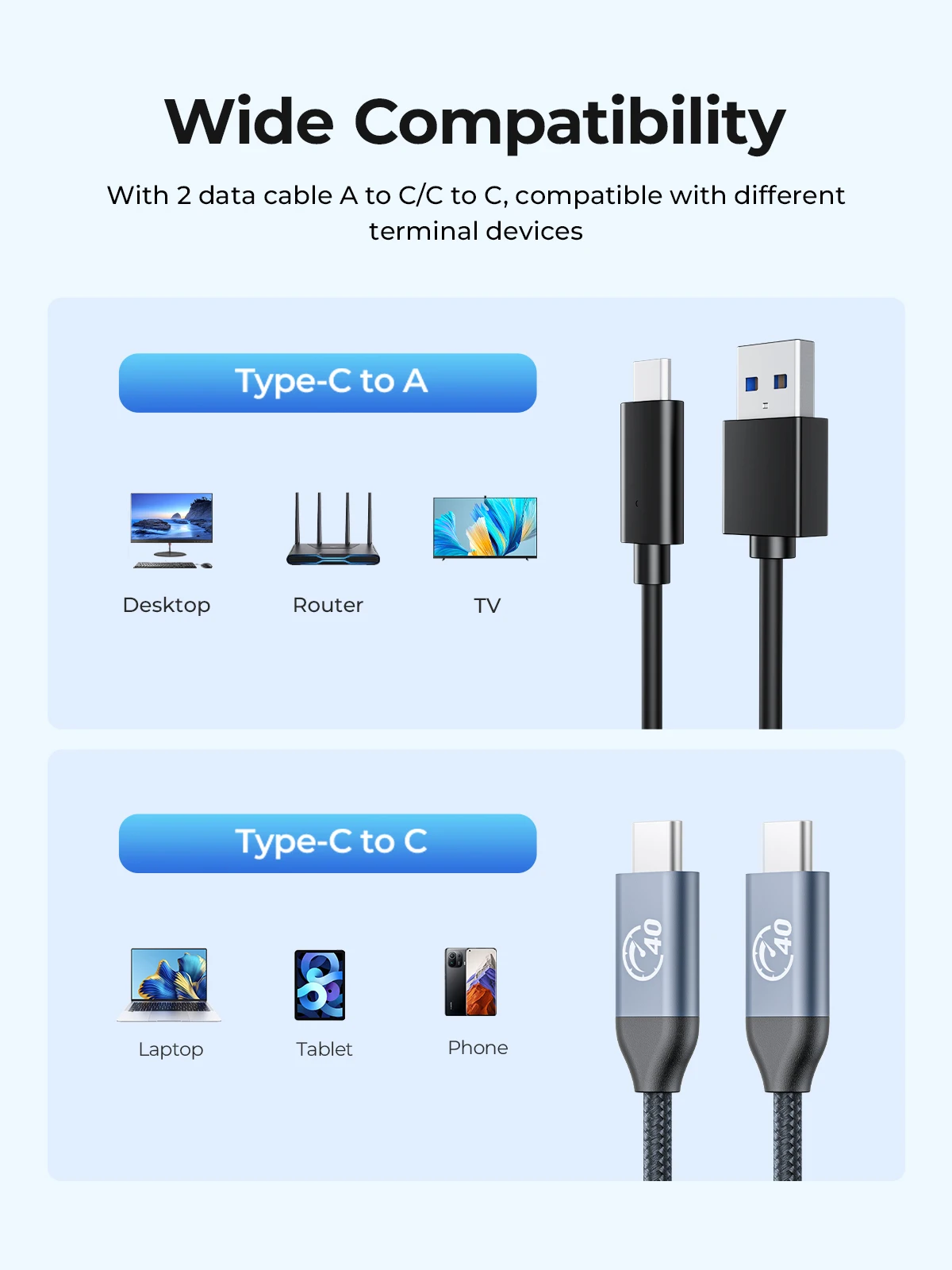
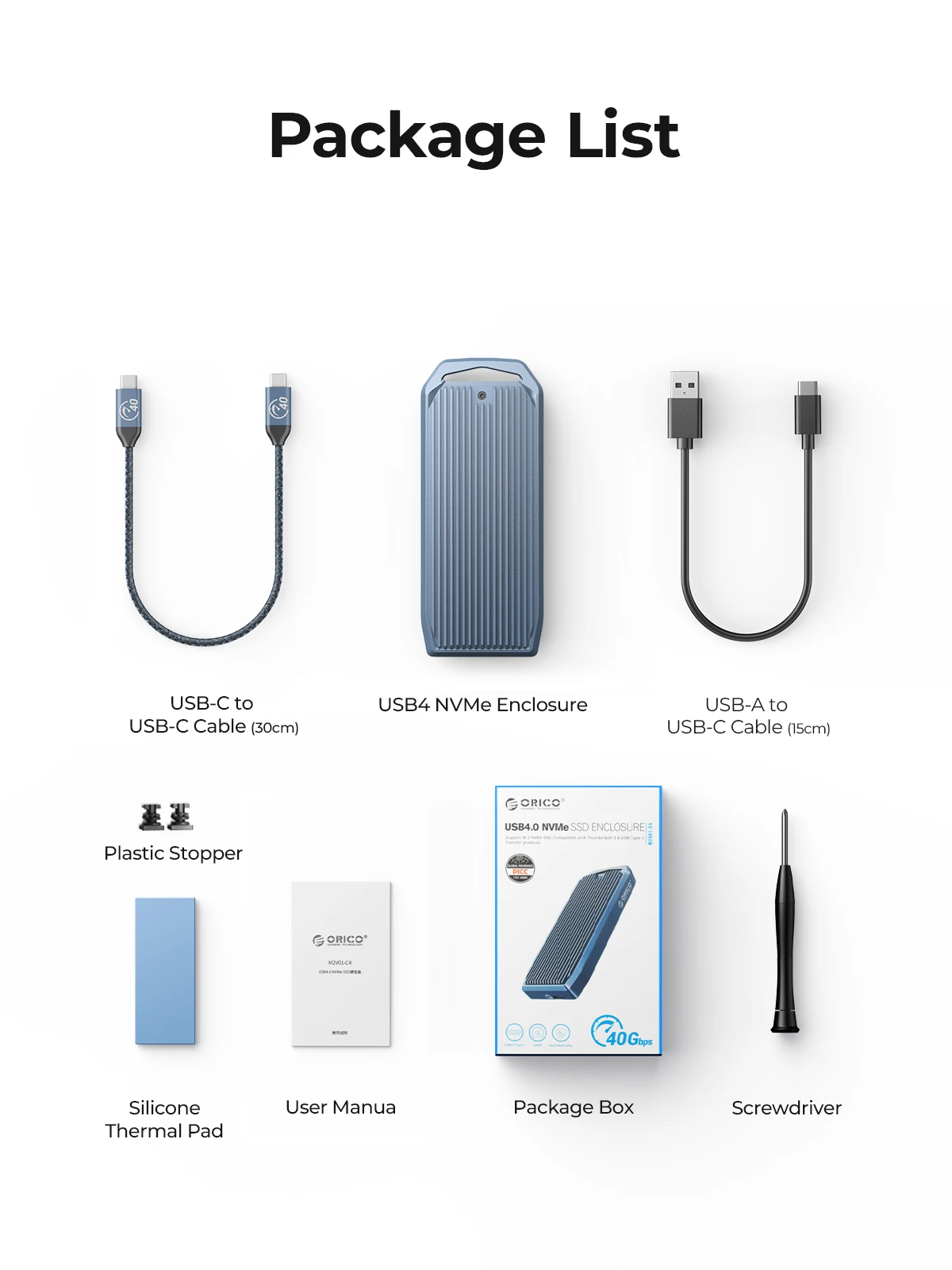
It is equipped with two specifications of data lines A TO C 10Gbps and C TO C 40Gbps.
12-month warranty service and lifetime technical service support.
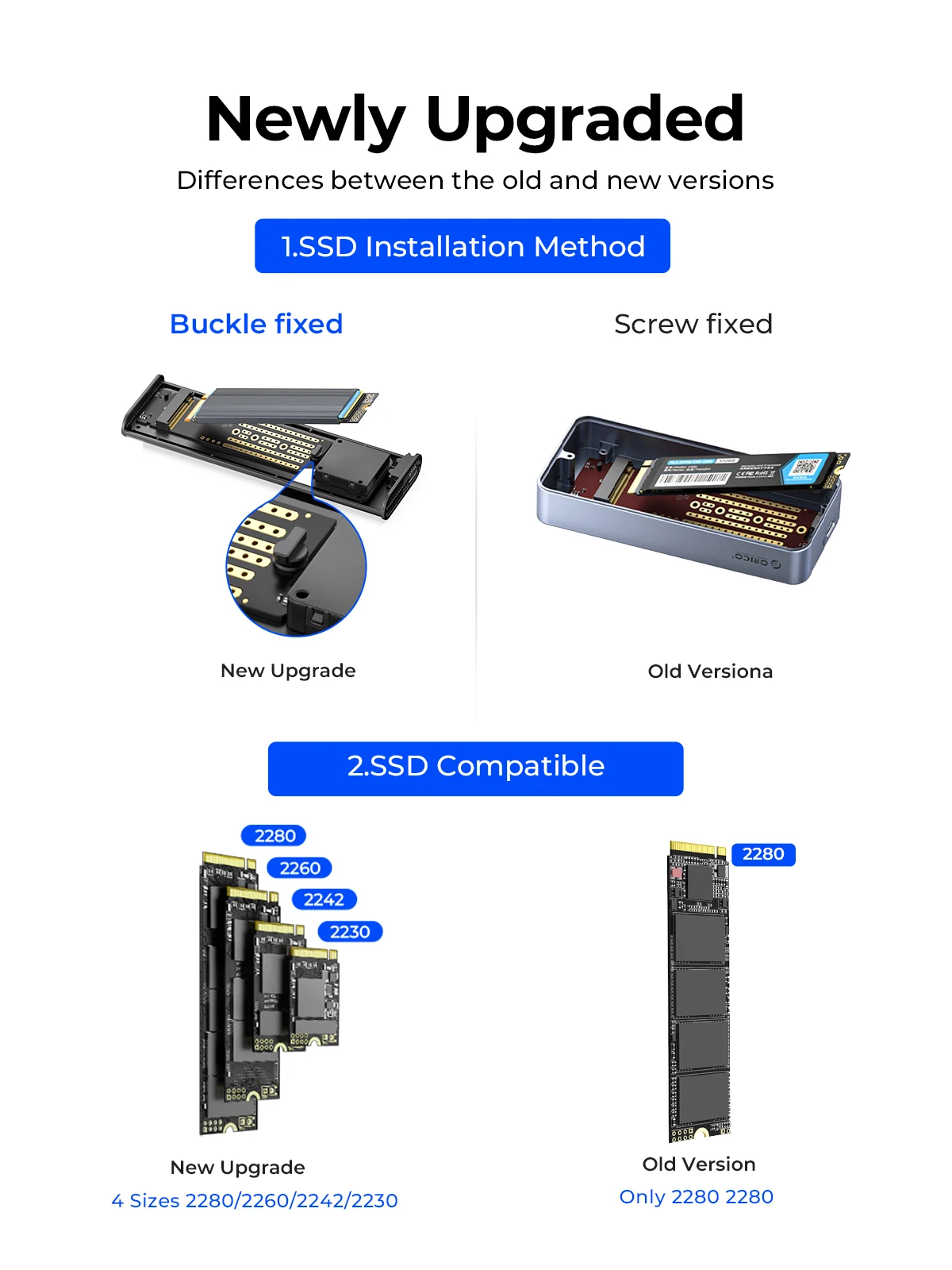
Newly Upgraded
The installation method is faster, with the previous screw fixation upgraded to buckle fixed. More sizes are supported, previously only compatible with 2280 SSD, now compatible with 4 sizes.
Buyer Show
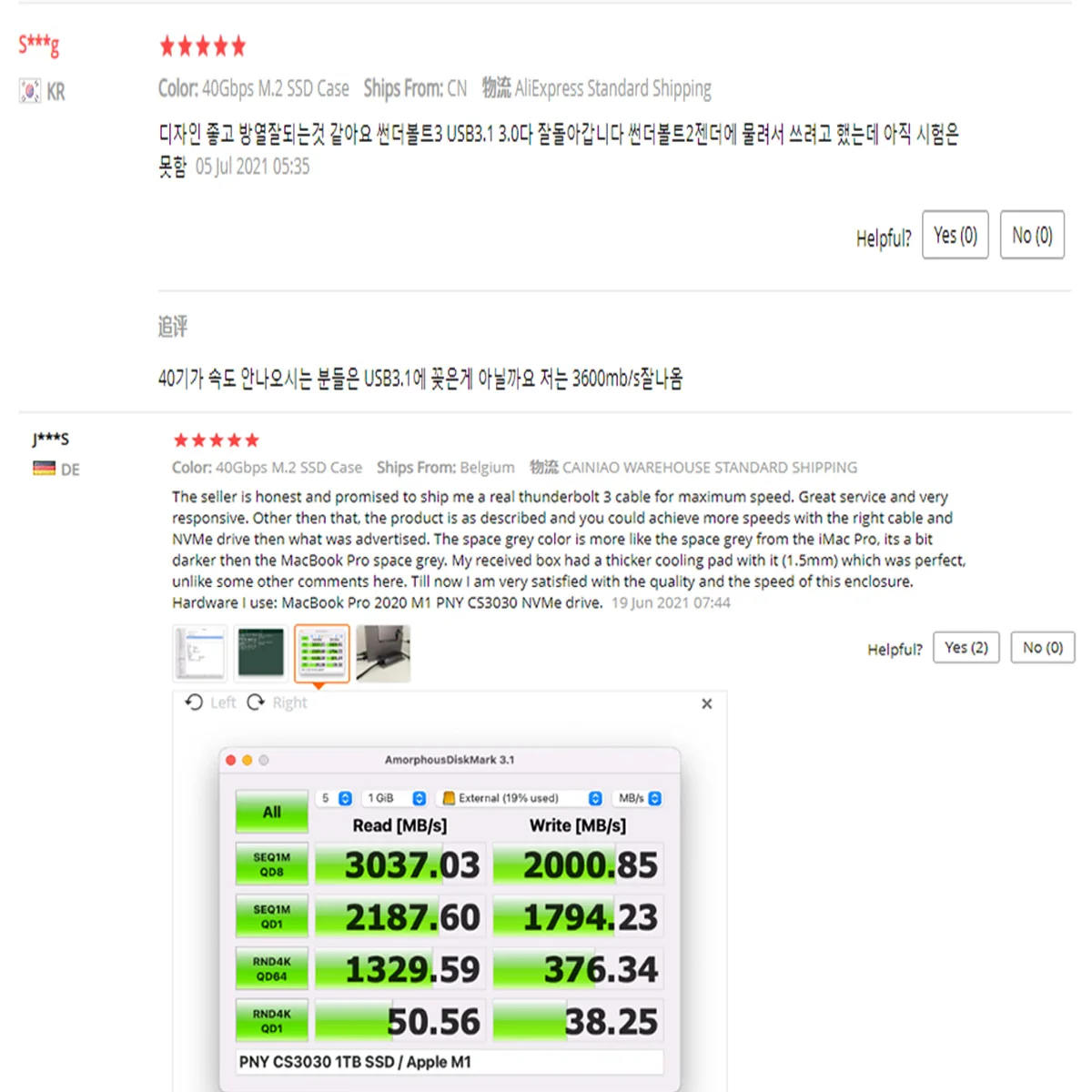
40Gbps Super Speed
With USB4 Type-C output interface, it supports the maximum transmission speed up to 40Gbps. The measured maximum continuous read speed can reach 3700MB/s, and the continuous write can reach 3100MB/s.(This data comes from ORICO laboratory. Please note that the speed is different in different environments.)When the product uses its USB3.1 A TO C data cable, the theoretical transmission rate is 10Gbps.

Excellent Heat Dissipation
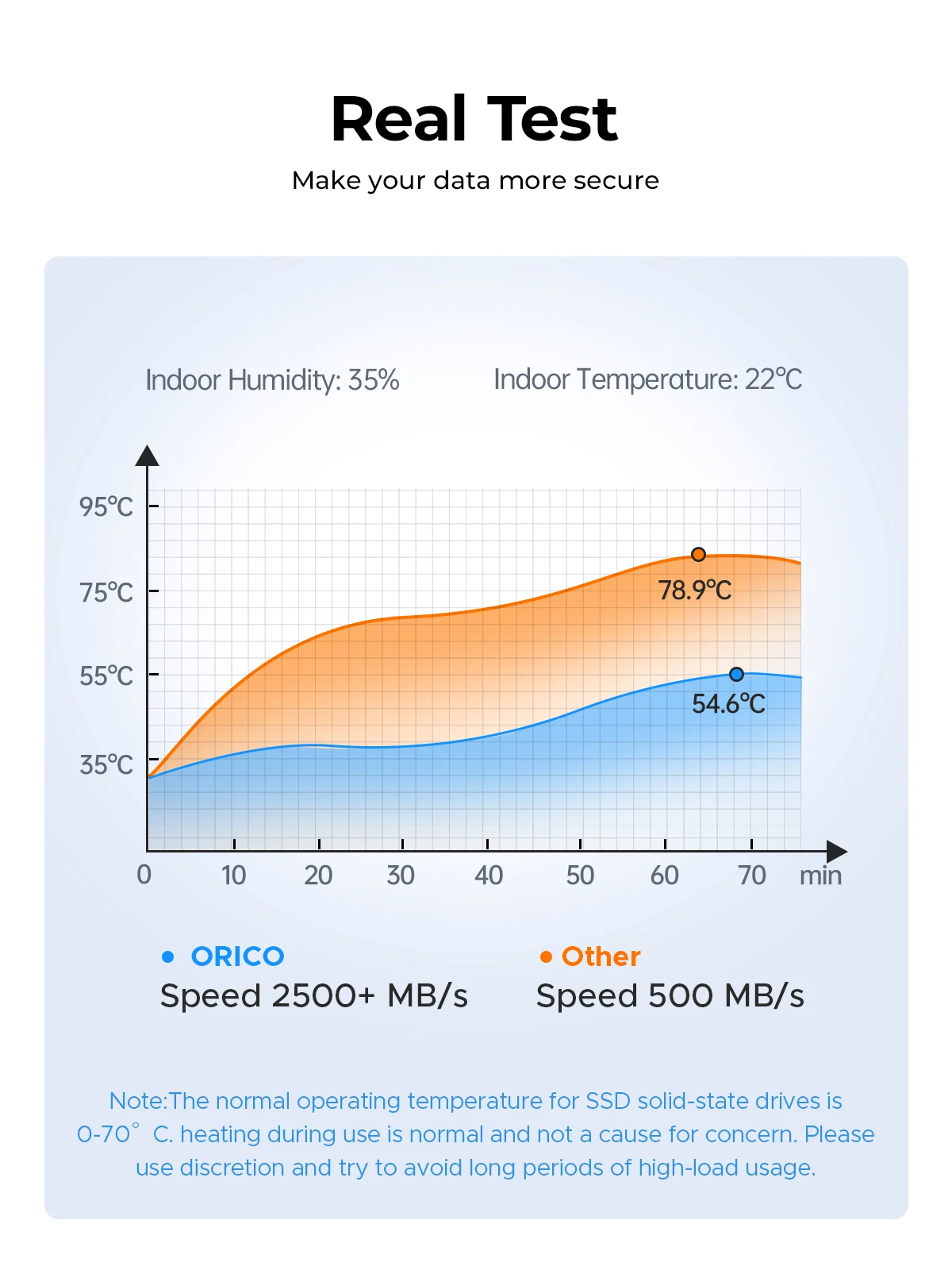
The thermal pad rapidly radiate heat from internal SSD to external Aluminum NVMe enclosure, Aluminum case with heat exchange fins, practically enlarge the heat dissipation area. Just because the high-efficiency of heat transfer, after heavy load using, the Aluminum case may become hot, this is correctly helping internal SSD cooling down.

Real Test
Make your data more secure.
Supports 4TB Max
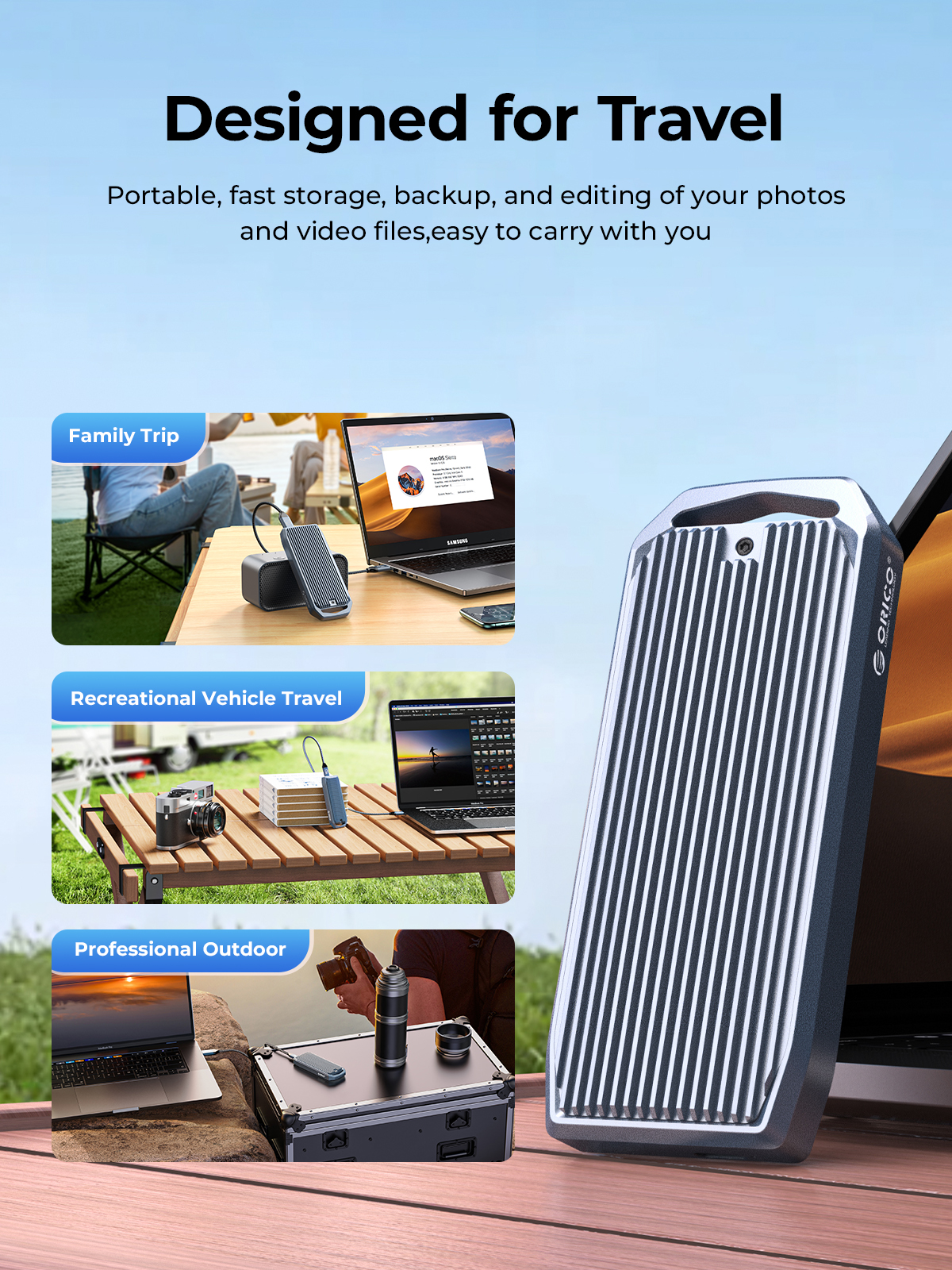
USB4 NVMe SSD Enclosure with up to 4TB of high-speed data storage for handling intensive data tasks effortlessly. Experience blazing-fast backups and seamless 4K editing anywhere, making it perfect for gaming, video editing, research, design, content creation, and a wide range of other applications.

Suitable for Gaming, Video Editing, Research, Design
Providing more capacity for backup for PC and laptop, but also for smart TV, smart router and PS4 etc. 

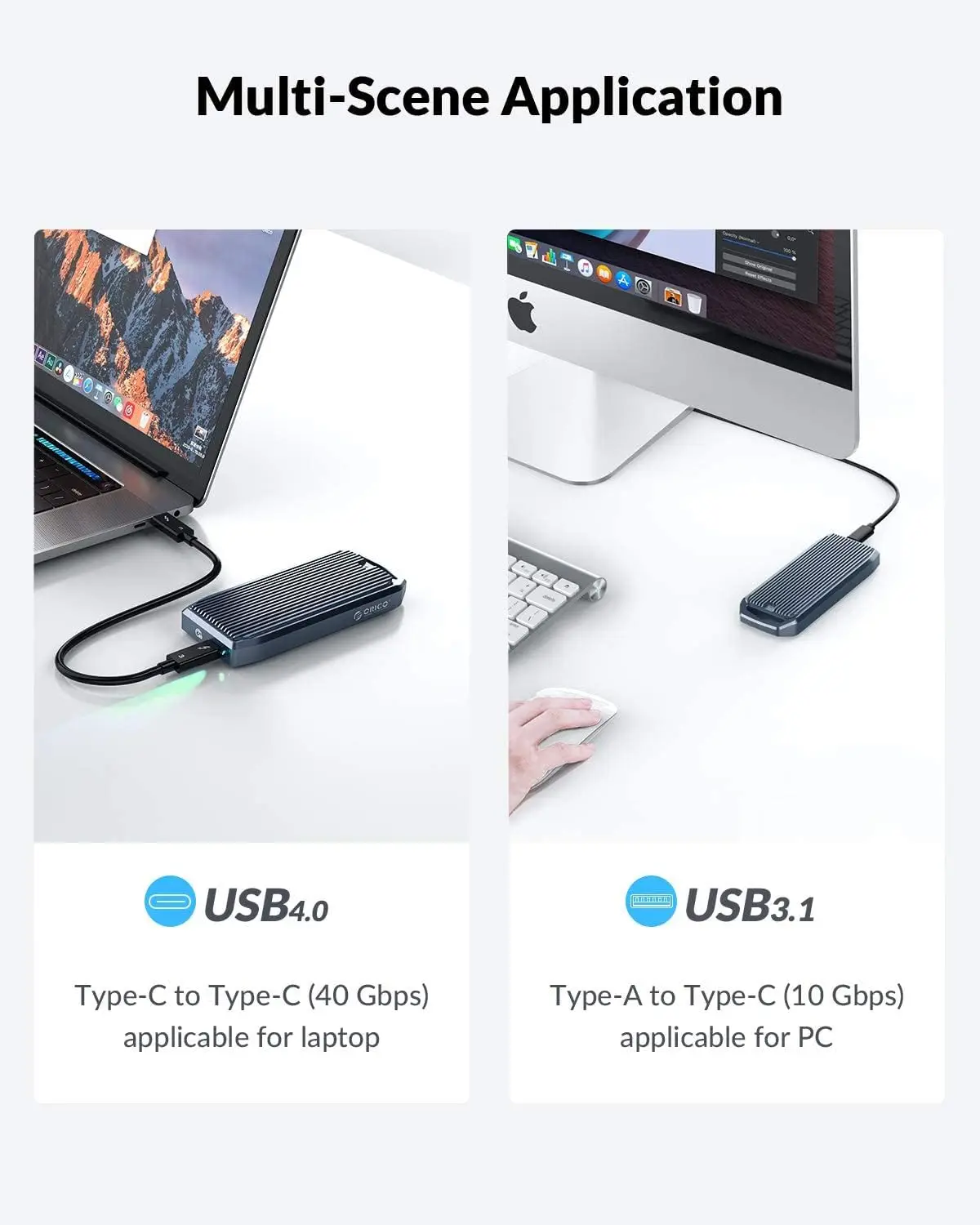
Multi-Scene Application
USB4: Туре-C to Type-C (40 Gbps) applicable for laptop,tablet and so on.
USB3.1: Type-A to Type-C (10 Gbps) applicable for PC,TV and so on.
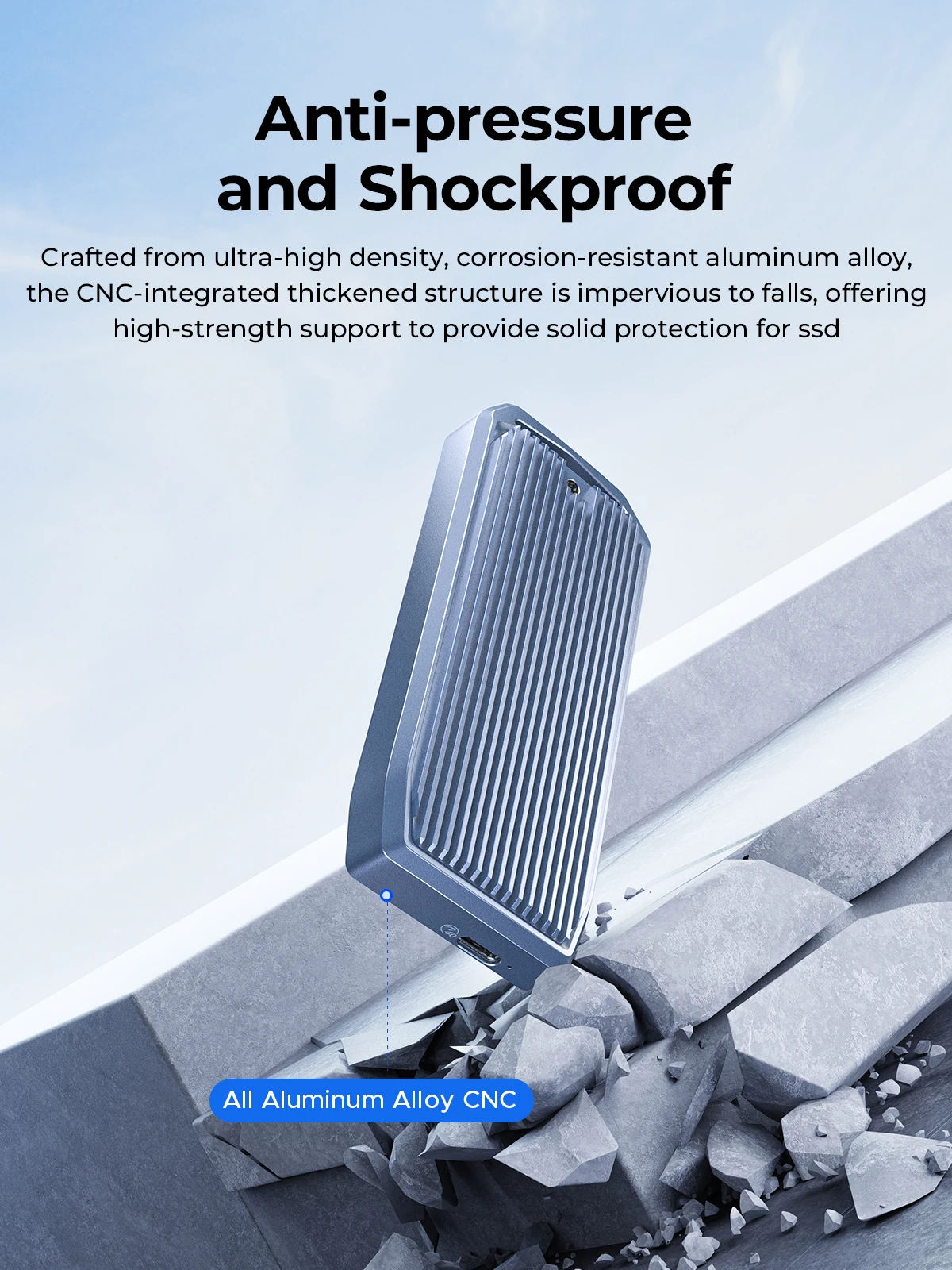
Anti-pressure and Shockproof
Crafted from ultra-high density, corrosion-resistant aluminum alloy, the CNC-integrated thickened structure is impervious to falls, offering high-strength support to provide solid protection for ssd
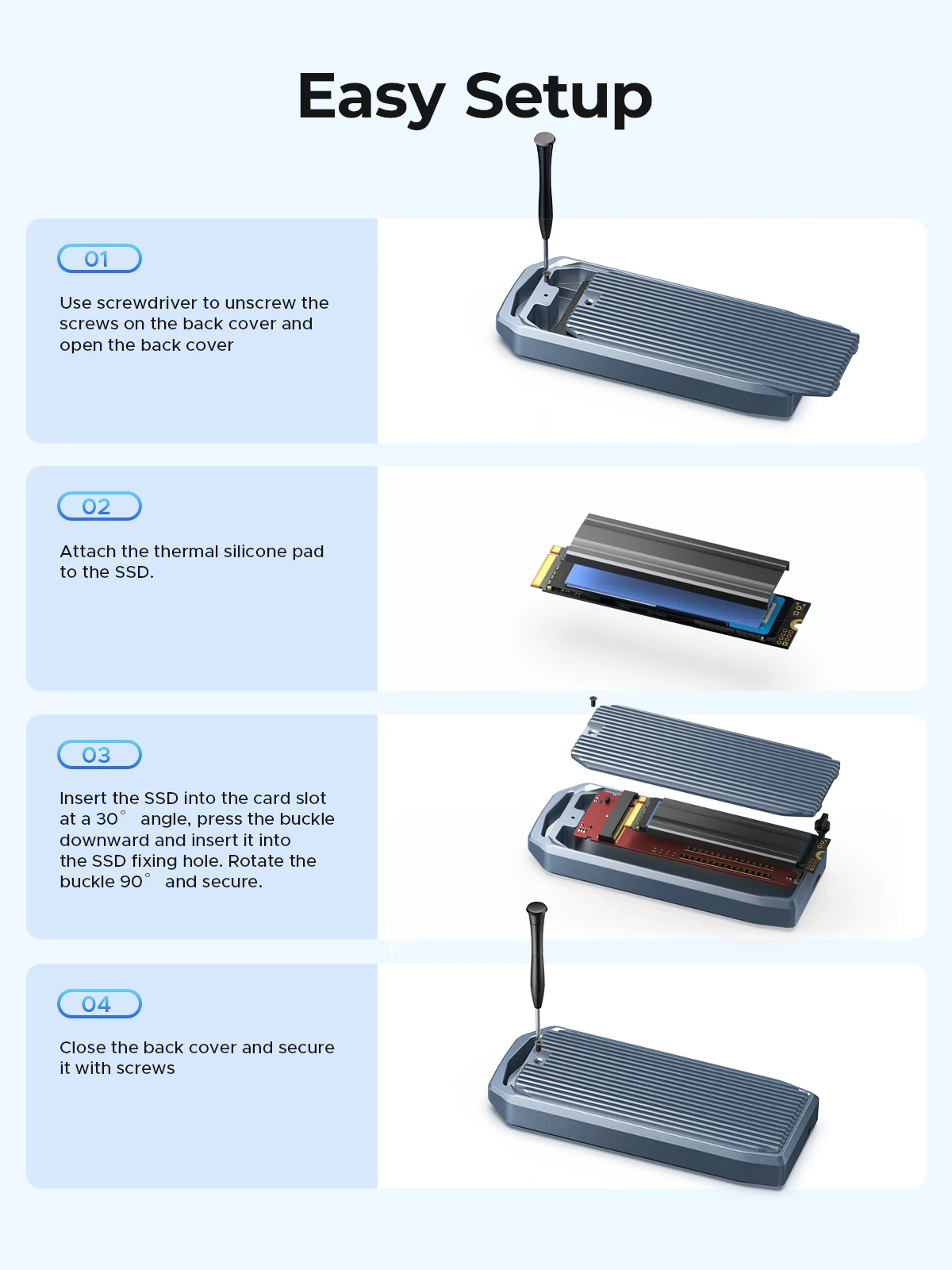
Easy Setup
1.Use screwdriver to unscrew the screws on the back cover and open the back cove.
2.Attach the thermal silicone pad to the SSD.
3.Insert the SSD into the card slot at a 30° angle, press the buckle downward and insert it into the SSD fixing hole. Rotate the buckle 90° and secure.
4.Close the back cover and secure it with screws.
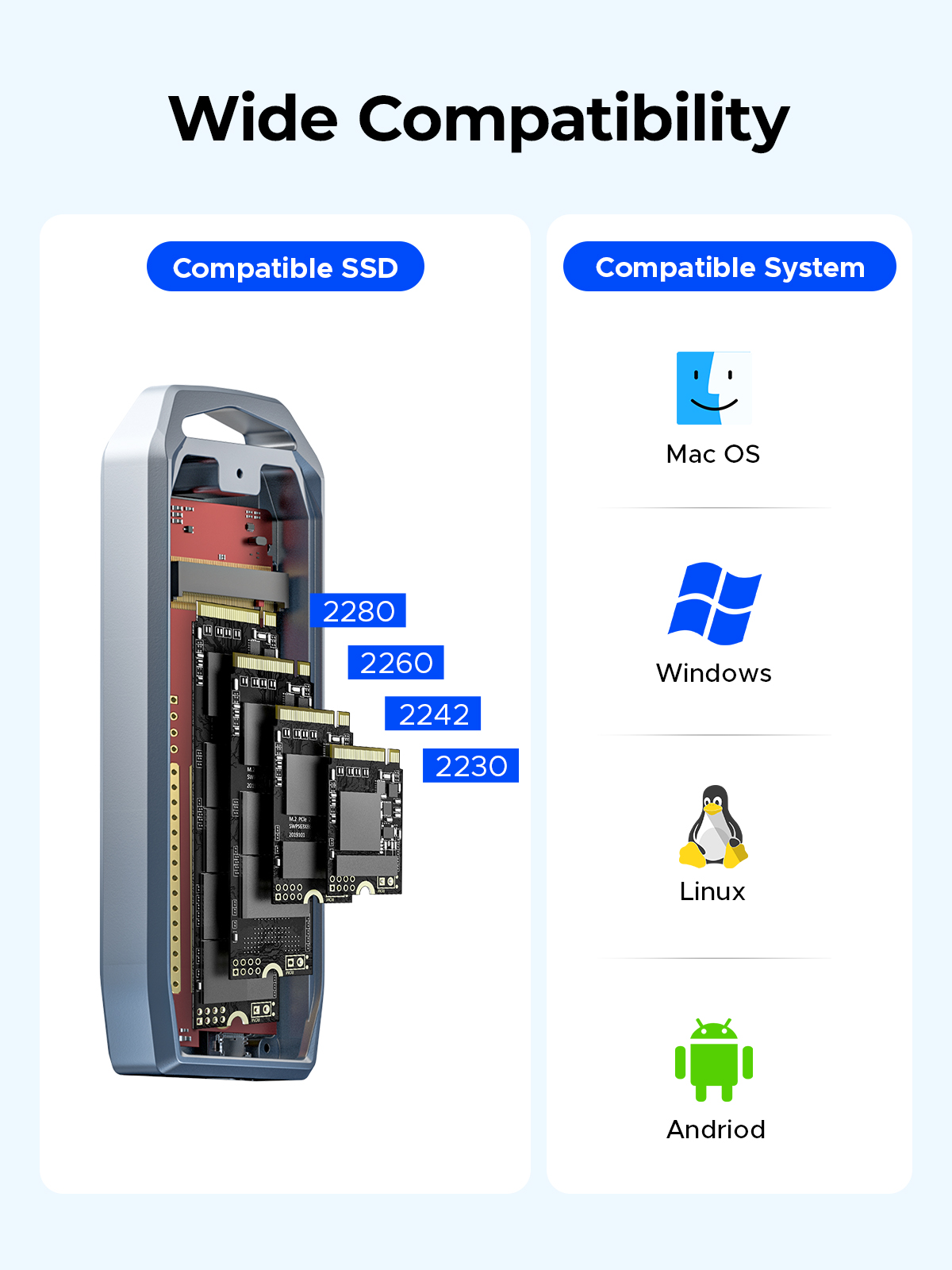
Wide Compatibility
Compatible with NVMe SSD in sizes 2230/2242/2260/2280.such as M.2 NVMe M Key SSD.included the latest PCIe Gen 4x4 SSD.

Question: What are the normal temperature and the sound level of the cooling fan?
Answer: The normal operating temperature range of the M.2 solid-state drive is 0-70°C. To ensure good heat dissipation, the product is equipped with a high-speed fan that rotates at 7000 RPM, with a measured sound level of 40-60 decibels. The generated sound is similar in size to the cooling fans in your laptop and desktop computer.
Question: Why are there prompts when using a Mac?
Note: Whenever a Mac system unplugs the hard drive enclosure while the computer is on, it is considered forcibly unplugging a device from the PCIE port, which leads to the increase in the unsafe shutdown count prompt. To avoid this issue, only unplug the device after shutting down the computer. Windows systems do not encounter this situation.
Question: Why is the device using Thunderbolt not recognized?
Question: Unable to fit the heat pad with the top cover?
Question:Why is the speed not as fast as advertised?
1. Use PCI-E 3.0 or PCI-E 4.0 NVMe SSD.
2. Make sure your input device's USB-C port is USB4 or Thunderbolt 4.
3. Make sure all of them support USB4 or Thunderbolt 4 if you use intermediate devices and cables.
Question: How to format an SSD?
Product Packaging
check_circle
check_circle


Comments (0)
Your review appreciation cannot be sent
Report comment
Report sent
Your report cannot be sent